


|
Name |
Moon+ Reader Pro |
|---|---|
|
Google Play Link |
GET IT ON
Google Play
|
|
Category |
Books & Reference |
|
Developer |
Moon+ |
| Last version | 10.8 |
|
Updated |
|
|
Compatible with |
Android 5.0+ |
Introduction to Moon+ Reader Pro MOD APK
Moon+ Reader Pro MOD is an eBook reader app built for people who read on Android and want more control over the way books and documents look, feel, and work. It supports a long list of file types, including EPUB, PDF, MOBI, TXT, HTML, CBZ, CBR, DOCX, and ZIP, so it works as a flexible reading hub instead of a one-format tool.
The main job of the app is simple: open digital books and make reading easier. You can import local files, connect to online libraries, organize titles on a bookshelf, and switch between reading modes based on what you need. For many users, that means one app for novels, study files, comics, PDFs, and saved documents without jumping between different readers.
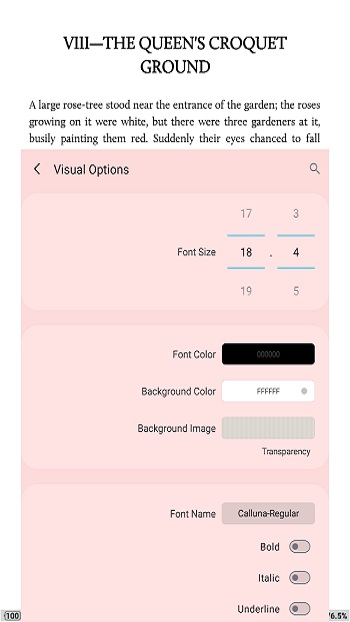
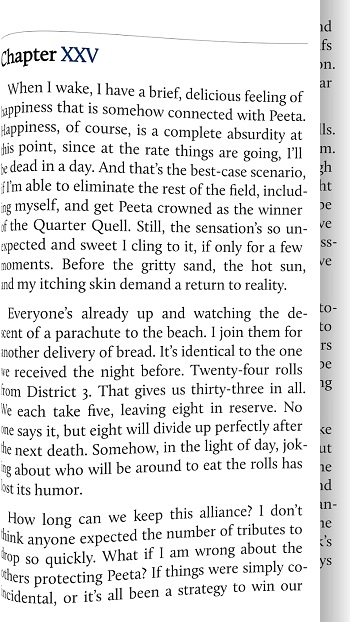
Its strongest point is customization. You can adjust font size, spacing, margins, themes, brightness, and page animations in detail. Gesture controls, auto-scroll options, screen tap actions, and landscape dual-page mode also give readers a lot of freedom. If you are picky about how text appears on screen, this app gives you plenty to play with. It is the kind of reader that lets you act like the manager of your own tiny digital library.
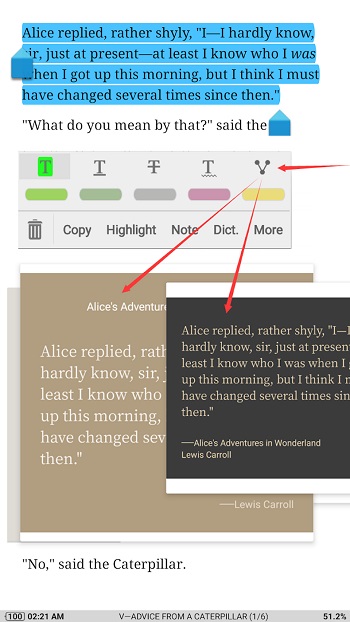
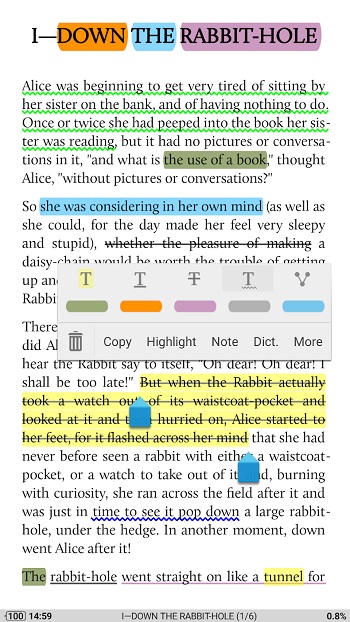
Moon+ Reader Pro MOD is also useful for people who work with PDFs or read for study. The Pro feature set includes annotation tools, highlights, handwriting support, form filling, and reading statistics. Text-to-speech can turn written content into audio, which helps during commutes, workouts, or those lazy moments when your eyes want a break but your brain still wants the chapter.
The practical benefits are easy to spot. It can replace several reading tools in one place, cut down on file format headaches, and make long reading sessions more comfortable with night mode, blue light filtering, and brightness gestures. Backup and sync options are helpful for people who switch between devices. Password protection is also a nice extra for anyone keeping private notes or personal files inside the app.
There are still a few drawbacks. The feature list is dense, so first-time users may need a little time to learn where everything is. Too many controls can feel messy if you only want a very basic reader. Some advanced tools also make more sense for heavy readers than casual users who open one book every few weeks. This app fits students, office users, researchers, comic readers, and regular book lovers who want deep control over reading instead of a plain tap-and-scroll setup.
FAQs Moon+ Reader Pro
What is Moon+ Reader Pro MOD?
+
Moon+ Reader Pro MOD is an Android reading app for ebooks, PDFs, comics, and text files. It focuses on file support, reading customization, notes, and smooth offline reading.
What is Moon+ Reader Pro MOD used for?
+
It is used to open and manage digital books and documents in one place. People use it for reading novels, studying PDFs, checking notes, and listening through text-to-speech.
Which file formats does Moon+ Reader Pro MOD support?
+
It supports many popular formats such as EPUB, PDF, MOBI, AZW3, FB2, TXT, HTML, DOCX, CBZ, CBR, ZIP, and more, which makes it useful for mixed libraries.
Does Moon+ Reader Pro MOD have PDF editing features?
+
It includes PDF tools such as highlighting, annotations, handwriting, and form filling. These features are useful for study material, work files, and saved documents.
Who should use Moon+ Reader Pro MOD?
+
It suits readers who want strong control over fonts, themes, gestures, and reading modes. It is especially useful for students, heavy readers, and anyone who keeps a large digital library.
Discover More Interesting Apps
-
 Mod
Mod
ReadEra Premium
v26.10.18+2330
13.00 Mb
Updated -
zLibrary
v2026.12052-Reader
44.94 Mb
Updated -
Mod
Tarteel
v5.82.0
256.90 Mb
Updated -
Mod
GoodNovel
v4.4.2.1352
53.81 Mb
Updated -
Buenovela
v3.0.2.1202
47.58 Mb
Updated -
Mod
WebNovel
v8.23.0
145.02 Mb
Updated -
Janitor AI
v2.7.0
112.84 Mb
Updated -
Mod
Pratilipi
v9.4.0
27.80 Mb
Updated -
Mod
Pocket Novel
v3.10.3
30 MB
Updated -
Comic Box
v2.5.0
29.19 Mb
Updated










Share Your Thoughts